
You Lack the Required Entitlement to Use This Resource (FiveM Escrow Error Explained)
If you are running a FiveM server and suddenly see the error message:
“You lack the required entitlement to use this resource”
you are not alone. This is one of the most common and frustrating FiveM escrow errors, especially for server owners who are new, migrating servers, or working with paid scripts.
The worst part is that the error usually shows up without much explanation. The script does not start, the console throws the entitlement error, and you are left wondering whether the script is broken, the server is misconfigured, or you did something wrong during setup.
In this guide, I will break everything down in plain English. We will cover what this error actually means, why it happens, how to fix it step by step, and how to avoid running into it again in the future. By the end, you will know exactly what to check and how to get your resource running properly.
What Does “You Lack the Required Entitlement to Use This Resource” Mean?
At its core, this error has nothing to do with your script being corrupted or FiveM being down.
This error means one simple thing:
Your FiveM server license key does not belong to the same cfx.re account that owns the script.
FiveM uses an escrow system for paid resources. When you buy a script from Tebex or a script store that uses FiveM escrow, that script is permanently linked to the cfx.re account that purchased it.
When your server starts, FiveM checks:
- Who owns the script
- Who owns the server license key
- Whether both belong to the same account
If they do not match, the resource is blocked and you get the entitlement error.
Why This Error Is So Common
This error usually appears in very specific situations. If any of these sound familiar, you are probably seeing the entitlement issue for that reason.
You are using a server license key generated by someone else
This is the most common cause.
For example:
- A developer friend set up the server
- A hosting provider created the license key
- You copied an old server.cfg from another machine
- You migrated servers and reused an old key
If the server license key was generated under a different cfx.re account than the one that owns the script, the script will not run.
You bought the script on a different FiveM account
Many people do not realize they have multiple cfx.re accounts.
You might have:
- One account used years ago
- One account linked to Discord
- One account used only for purchases
If the script was purchased on Account A and your server license key belongs to Account B, FiveM sees them as unrelated and blocks access.
You transferred servers but not ownership
When moving from one VPS or host to another, server owners often:
- Copy the server files
- Forget to regenerate the license key
- Keep the old key tied to the previous account
This mismatch instantly triggers the entitlement error.
Server artifacts are outdated
This is less common but still relevant.
Older FiveM artifacts can sometimes fail escrow checks properly, especially with newer scripts. While this is not the main cause, outdated artifacts can make troubleshooting harder.
How the FiveM Escrow System Works (Simple Explanation)
Think of escrow like a digital lock.
- The script is the locked door
- Your cfx.re account is the key
- Your server license key proves ownership
When the server starts:
- FiveM checks the script
- FiveM checks who owns it
- FiveM checks the server license key
- If ownership matches, the script runs
- If it does not, the script is blocked
No match means no access.
There is no config setting that bypasses this. There is no server.cfg trick. This is enforced at the FiveM platform level.
How Do I Fix “You Lack the Required Entitlement to Use” in FiveM?
Now to the important part. Let’s fix it.
Follow these steps carefully and in order.
Step 1: Check Which License Key Your Server Is Using
Open your server.cfg file and look for this line:

Now log in to your cfx.re account dashboard and confirm:
- This is your account
- This key was generated here
- This account owns the server key
If you are not sure, generate a new license key from the account you control.
Step 2: Confirm Which Account Owns the Script
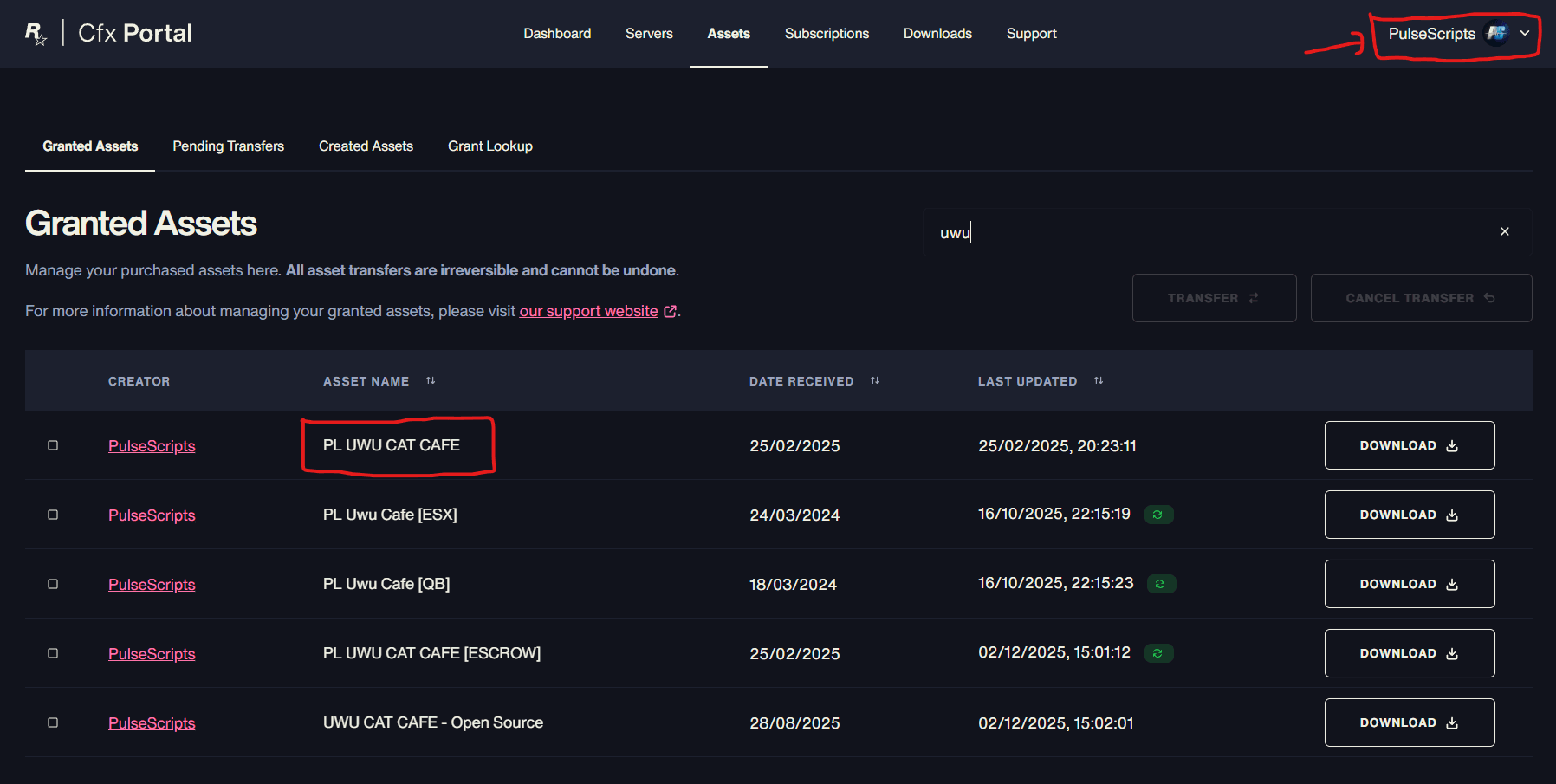
Log into the cfx.re account where you purchased the script.
Check:
- Tebex purchases
- Asset ownership
- Download history
Make sure the script appears under the same account that owns your server license key.
If the script is not there, you are logged into the wrong account.
Step 3: Make Sure Both Accounts Match
This is the most important rule:
The account that owns the script must also own the server license key.
If they do not match, the script will never start.
You have two options:
- Generate a new server key from the script owner account
- Transfer the script to the account that owns the server key (if allowed)
Some scripts allow a one-time transfer. Others do not.
Step 4: Restart the Server Completely
Once the correct license key is in place:
- Stop the server
- Fully restart it
- Do not just restart the resource
FiveM escrow checks happen during server startup, not resource reload.
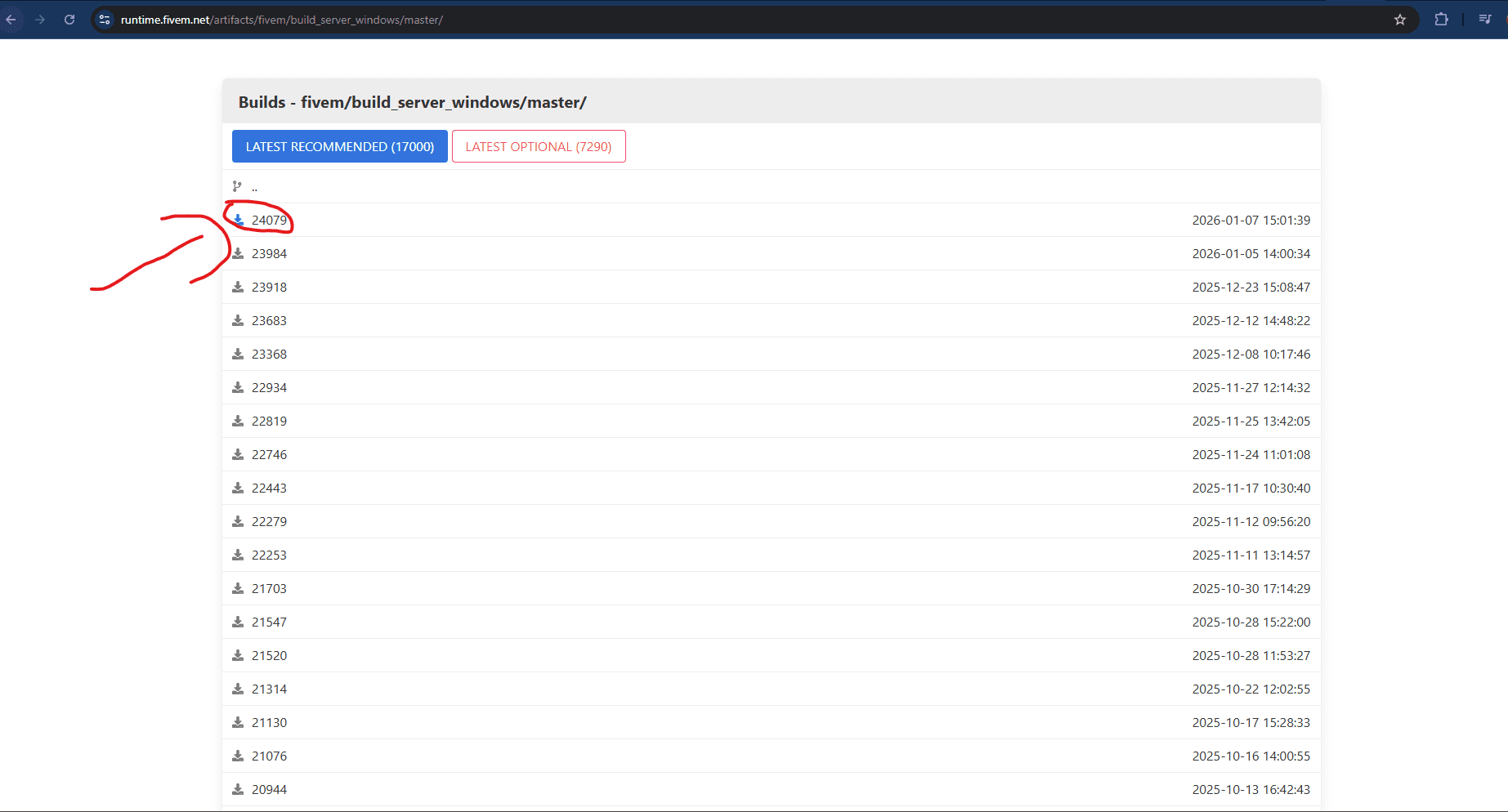
Step 5: Update Server Artifacts (Recommended)
Even if the error is account-related, it is good practice to:
- Update to the latest recommended FiveM artifacts
- Restart after updating
This avoids edge-case issues during escrow verification.
I Get “You Lack the Required Entitlement” When Starting My FiveM Server
If the error appears immediately on server start, that usually means:
- The script is starting automatically
- The escrow check fails instantly
- The server blocks the resource before anything else loads
This confirms that the issue is not a runtime bug. It is purely an ownership and entitlement problem.
The fix is still the same:
- Correct account
- Correct license key
- Full restart
Common Mistakes That Keep Causing This Error
Even experienced server owners make these mistakes.
Sharing server files with friends
If your friend downloads a paid script and sends you the files, it will not work unless your account owns it.
Buying scripts on personal accounts and running servers on business accounts
FiveM does not care why you separated accounts. Ownership must match.
Assuming hosting providers handle escrow
Hosts provide servers, not ownership. Escrow is between you and FiveM.
Trying to rename or modify escrow files
Escrow protection cannot be bypassed. Editing files will not help and can break the script.
How to Avoid This Issue in the Future
If you want to avoid escrow headaches completely, follow these rules:
- Always buy scripts from the same cfx.re account you use to manage servers
- Always generate server license keys yourself
- Keep a record of which account owns what
- Avoid downloading scripts on alternate accounts
- Use trusted sellers who clearly explain escrow requirements
Buying Scripts Without the Hassle
f you are tired of dealing with broken installs, entitlement errors, and unclear documentation, this is where choosing the right store matters.
At pulsescripts.com, the focus is on:
- Legit, escrow-compliant FiveM scripts
- Clear setup instructions
- Plug-and-play resources
- Scripts designed to work cleanly with modern server setups
Instead of guessing why a resource will not start, you get scripts that are meant to be installed and run without unnecessary friction.
Frequently Asked Questions
Why does FiveM say I lack the required entitlement even though I bought the script?+
Because the script was purchased on a different cfx.re account than the one that owns your server license key.
Can I bypass the FiveM escrow entitlement check?+
No. Escrow checks are enforced by FiveM and cannot be bypassed without breaking the script.
Do I need to restart the entire server after fixing the license key?+
Yes. Escrow checks happen on server startup, not during resource reloads.
What if my hosting provider created the server key?+
You should generate your own server license key from the account that owns the script and update your server.cfg.
Is this error caused by outdated FiveM artifacts?+
Usually no, but outdated artifacts can sometimes cause related issues. Updating is recommended after fixing account ownership.